Local-first voice note transcription
Turn voice notes into a Markdown inbox.
Voice Inbox turns accumulated recordings into a readable text inbox. Android has the mature folder workflow today; iOS now has an active MVP for importing, previewing, transcribing, and appending individual recordings locally.
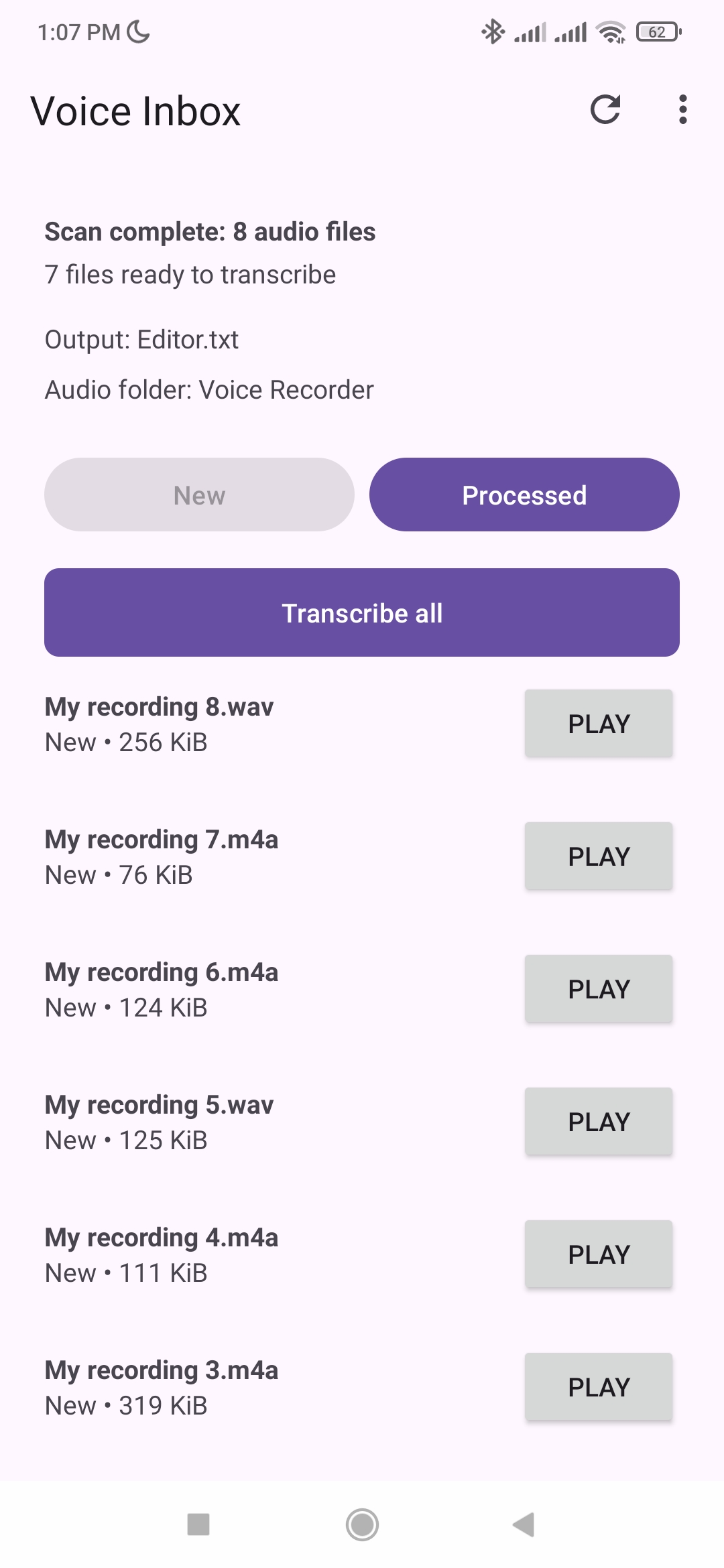
Android workflow screenshot. iOS MVP is evolving alongside the shared core.
Platform status
Android is ready; iOS is catching up fast.
Full folder workflow
Scan a selected audio folder, preview recordings, transcribe individual files or all New files, append to Markdown or text, retry failures, and schedule best-effort background runs.
Manual import workflow
Import audio files, preview them, download the speech model, transcribe locally, show recognized text, and append output. Folder automation and scheduling are still in progress.
Kotlin Multiplatform foundation
Catalog and transcription use cases are moving into shared code so Android and iOS can converge without hiding platform-specific storage and background limitations.
What it does
Built for accumulated recordings, not live dictation.
Incremental folder transcription
Select one folder, review discovered recordings, and process only files that are new or changed.
Local recognition
After the first model download, recognition runs on device instead of sending audio to an app cloud service.
Markdown or plain text output
Each successful note is appended to an existing writable .md or .txt document.
Preview before processing
Play audio files from the list before deciding to transcribe them.
Scheduled processing
On Android, optionally ask the app to run scheduled transcription around your chosen time. Exact execution is not guaranteed.
Transparent history
Processed and failed files stay visible, and failed files can be retried individually.
Workflow
From recordings to notes in five steps.
Install the model
Download and verify the speech model on first launch.
Select output
Choose an existing writable Markdown or text file.
Select recordings
Pick the folder that contains your audio notes.
Review New files
Preview recordings and check what will be processed.
Transcribe all
Append one entry per successful file with filename, recording time, and recognized text.
Requirements
Designed for local, on-device recognition.
Android requires Android 7.0 (API 24) or later on an ARM64 device. Both Android and the iOS MVP need network access for the first model download and enough free storage for model installation.