Desktop overlay
Keep a global, always-on-top keyboard view beside any app. Highlight keys, follow compatible BLE layers, manage layouts, run guided self-test, and use desktop-only tools.
Keyboard Helper pairs a mature desktop overlay with a foreground Android companion. Visualize layouts, inspect connection evidence, and follow compatible ZMK activity without pretending every platform has the same powers.
Keep a global, always-on-top keyboard view beside any app. Highlight keys, follow compatible BLE layers, manage layouts, run guided self-test, and use desktop-only tools.
Browse keyboard layouts, inspect connection evidence, and follow compatible read-only Live telemetry from a phone. The companion never switches the keyboard's remote layer.
Signed v0.6.4 preview for API 31+ arm64 devices.
Available for macOS, Windows, and Linux with the global overlay, diagnostics, and platform-scoped synchronization tools.
Signed v0.6.4 preview for API 31+ arm64 devices. Public physical BLE acceptance remains API 31+ and arm64.
Unavailable. There is no iOS build, signing channel, or promised availability date.
The desktop app remains the full overlay experience and owns global input, local configuration, and desktop-specific integrations.
Pressed keys highlight while the transparent window shows the selected layout and compatible firmware layer.
Desktop appConfigure built-in or JSON layouts, recover permissions, reconnect BLE, and run guided HID-output self-test.
Desktop appUse Mini Mode, macOS input-source sync where supported, and Shift-Space Invaders without changing the Android companion contract.
Platform-scopedThe signed preview is a foreground companion: Browse works with stock firmware, while Live needs the compatible enhanced read-only telemetry extension.
View bundled and validated custom layouts on a phone without requiring enhanced firmware.
Stock or enhanced ZMKSee honest permission, pairing, connection, battery, and device-information evidence when the keyboard exposes it.
API 31+ physical baselineFollow read-only layer, key, combo, and diagnostic telemetry. The phone does not write remote layer changes.
Enhanced firmwareClean captures from the current desktop experience replace mock imagery and retain an accessible fallback if an asset is removed.
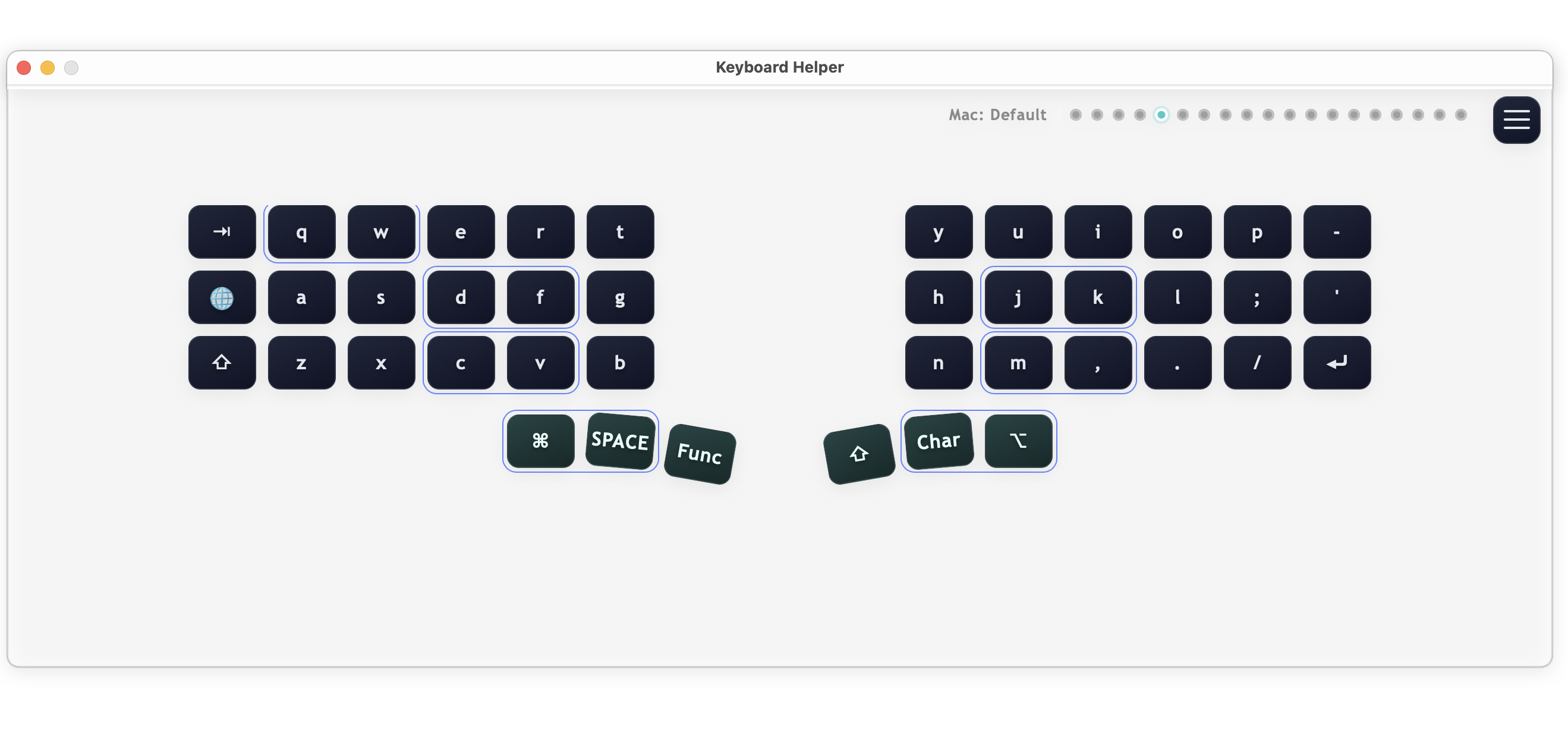
Full desktop overlay with an active layout and live pressed-key highlighting.
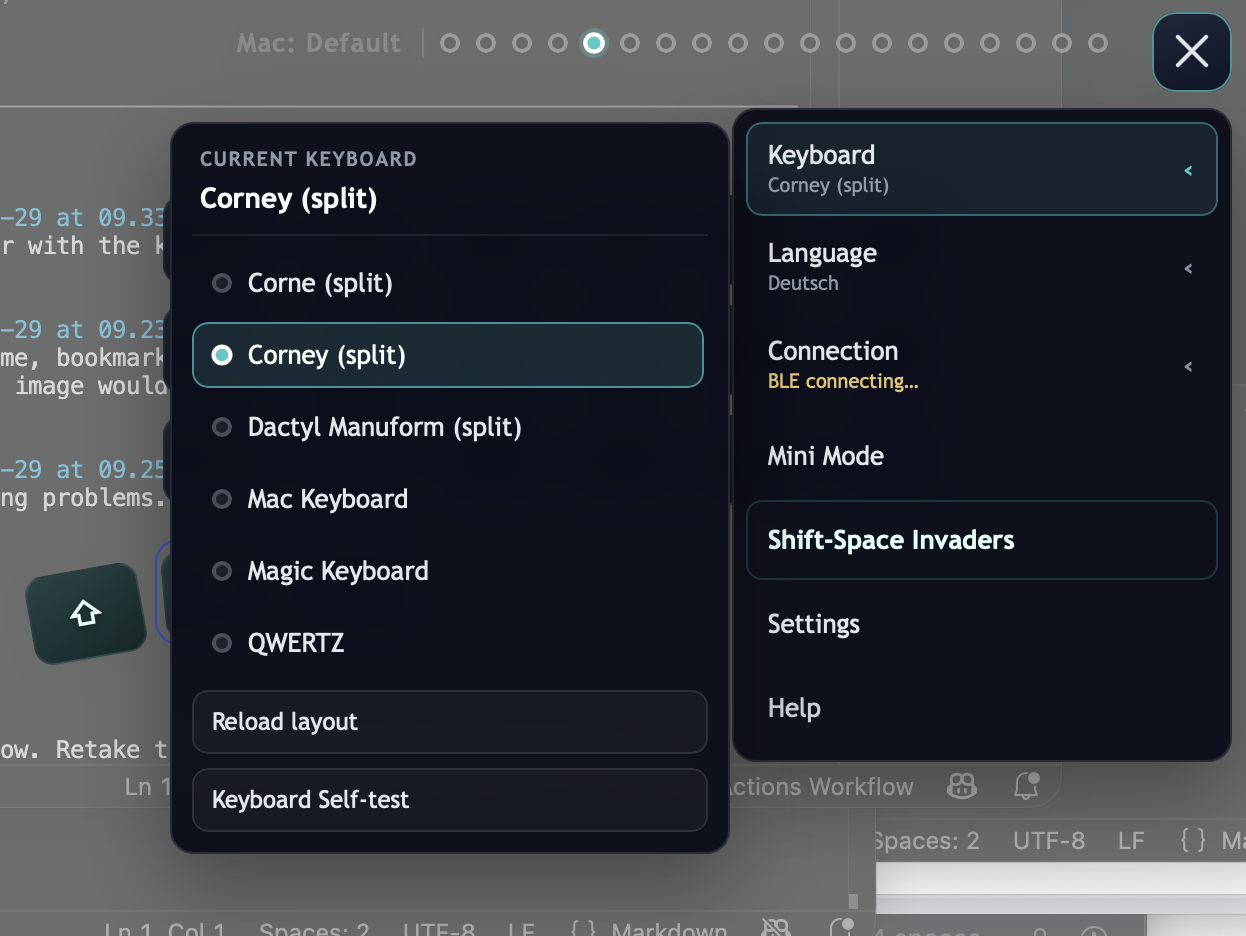
Keyboard, Language, and Connection flyouts keep daily controls and recovery actions close.
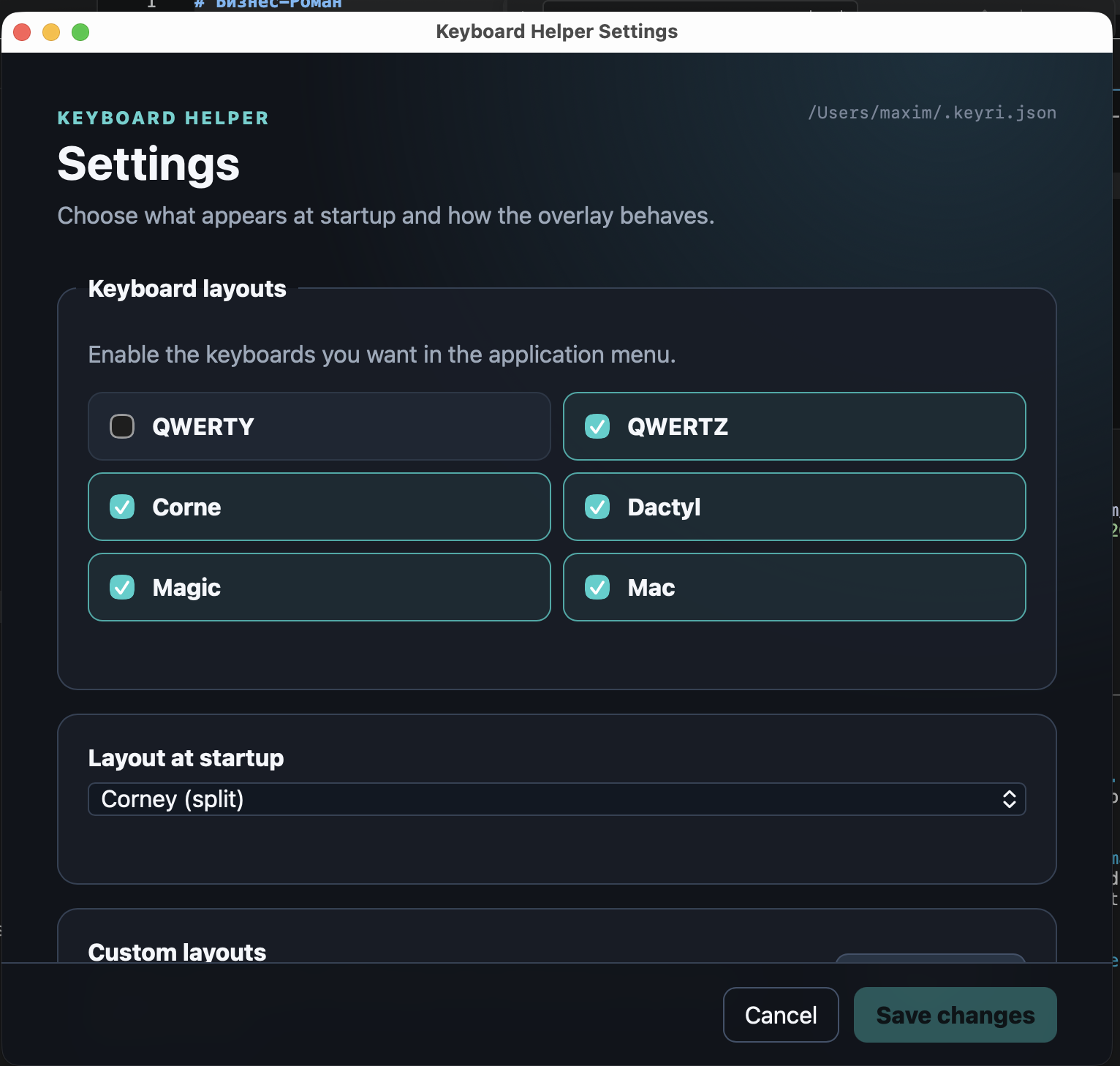
Settings for enabled layouts, startup layout, external files, and the global show/hide shortcut.
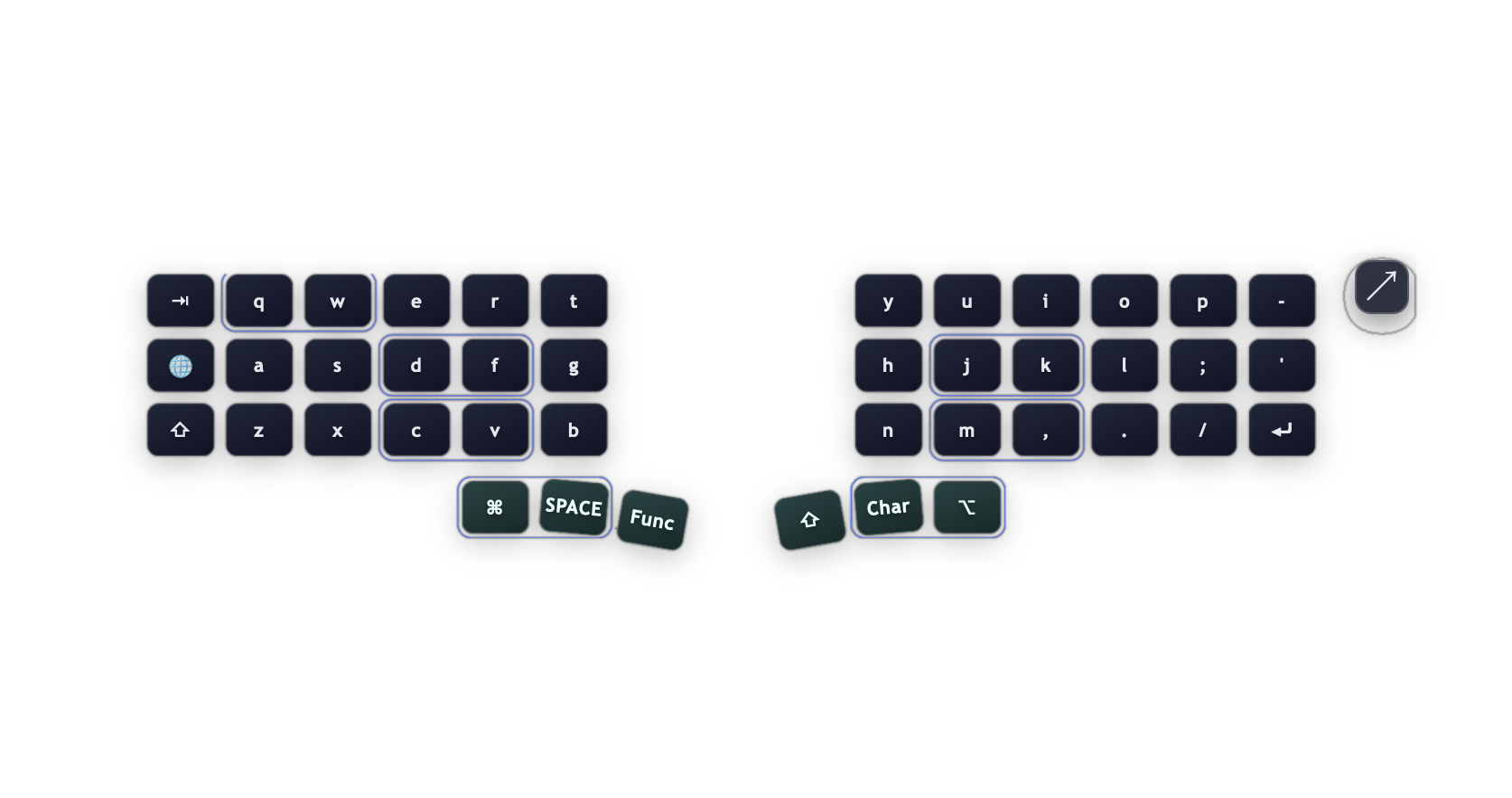
Compact desktop overlay for passive visualization with a direct restore control.
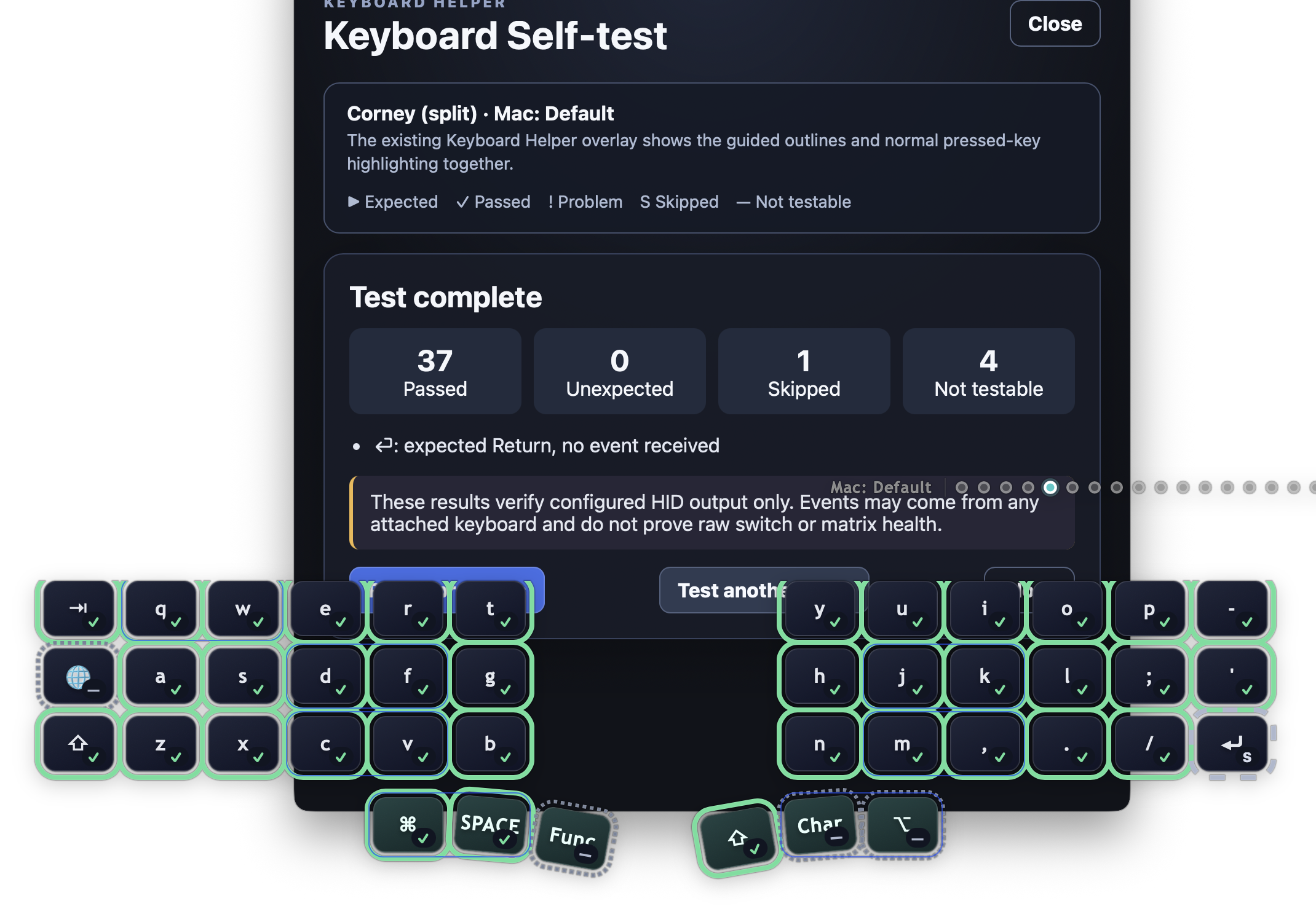
Guided HID-output verification using outlines on the existing desktop overlay.
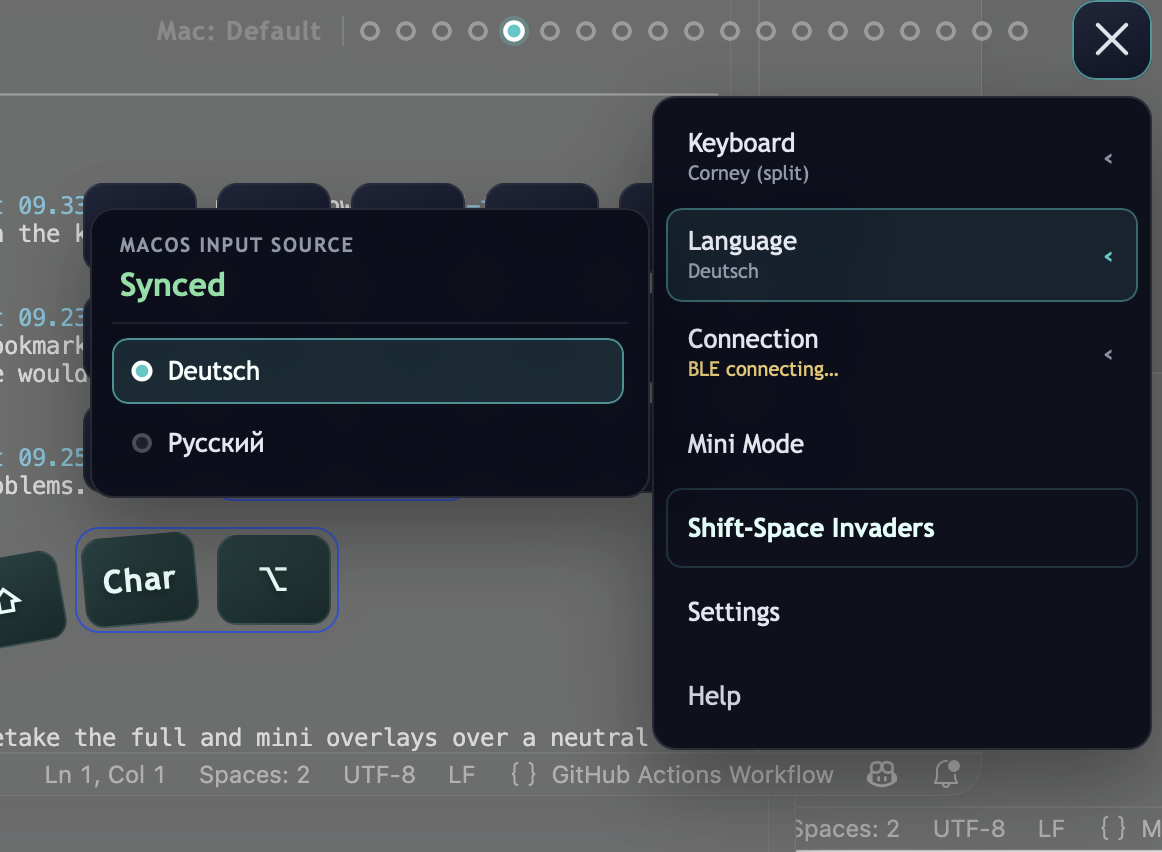
Language flyout showing input-source synchronization status for compatible ZMK keyboards.
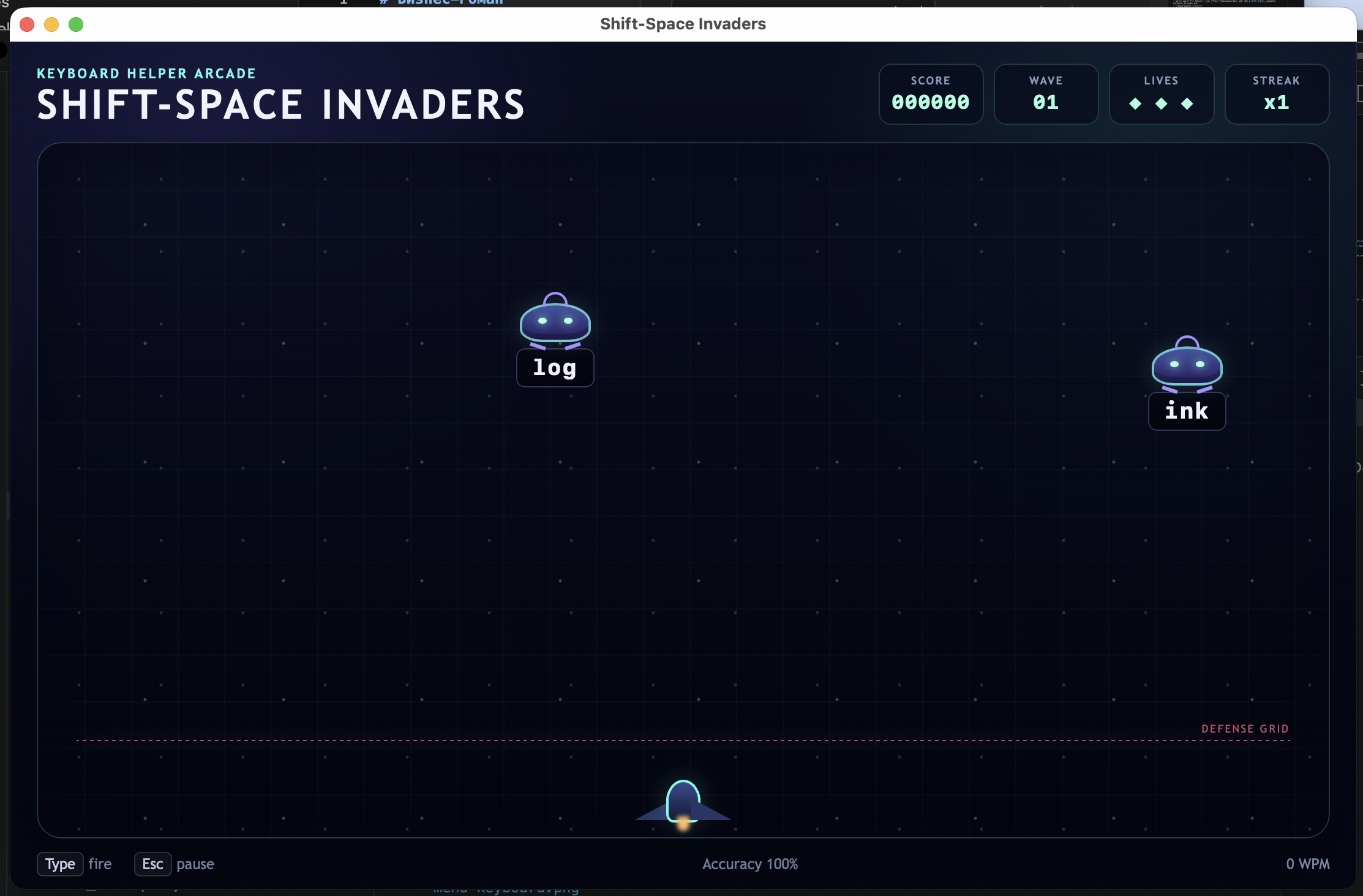
A separate desktop typing-practice window with focused input ownership.
The repository contains a newer viewport-first Browse/Live workspace and adaptive Settings design. Its navigation and screenshots will appear here only after a signed release containing that workspace is published and accepted.
Start with the guide for the product you are using; both guides keep platform-specific permissions and support boundaries explicit.